Have you ever found yourself stuck staring at a blank screen, wondering if there’s a better way to show clients design options without endless back-and-forth?
I’ve been there too. That’s when I discovered interior design software powered by artificial intelligence.
Homedesigns.AI caught my attention because it generates realistic furniture layouts in less than 30 seconds. According to a 2026 report by Grand View Research, the AI interior design market reached $3,282.3 million in 2025 and is projected to hit $15 billion by 2033, growing at nearly 21% annually in the US. This technology is clearly changing how we work.
In this HomeDesigns AI Review, I’ll share how virtual room visualizations and smart AI design tools can save you hours and help you close more projects. Curious if this platform fits your workflow? Let’s walk through what real users have discovered.
Overview of HomeDesigns AI
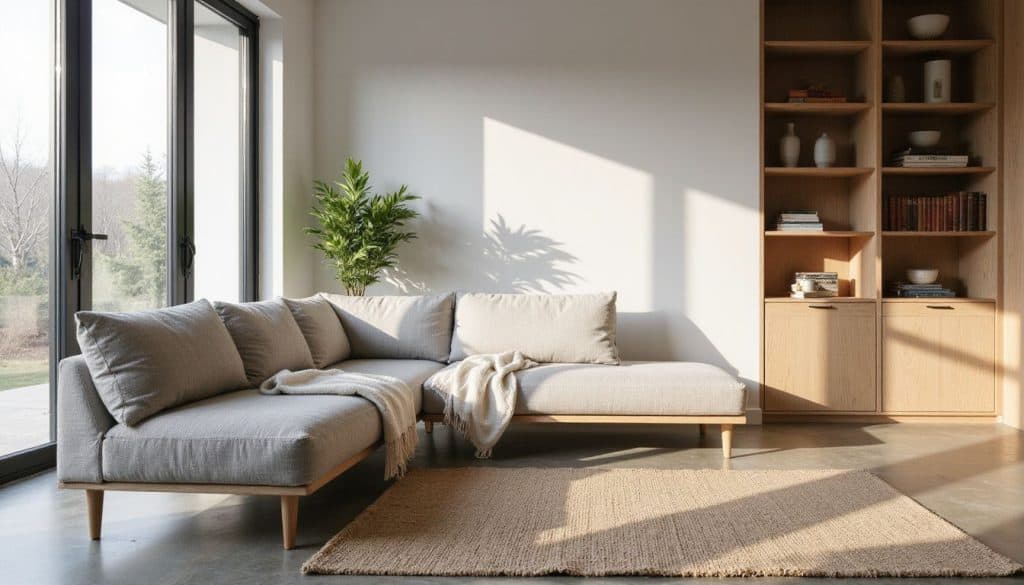
HomeDesigns AI uses machine learning to suggest design styles, furniture layouts, and color palettes for all kinds of interiors. I launched the web application on Chrome, and it works just as smoothly on Firefox, Safari, Android, and iOS devices.
In January 2026, the platform surpassed 2.5 million users worldwide and launched a new Expert Plan featuring AI video generation and 2D to 3D floor plan conversion. I find that pace of growth pretty impressive for any PropTech tool.
Key features of the software
HomeDesigns AI packs digital tools I rely on throughout my design process. Here’s what stands out:
- A powerful AI room generator creates new interiors in seconds using just a photo from my phone or desktop.
- The virtual staging feature fills or empties rooms with furniture, letting me test layouts without moving anything in real life.
- I use the drag-and-drop tool to reposition objects instantly. It feels like arranging real pieces on a screen.
- Customizable templates cover over 160 design styles (everything from minimalistic to bold), so I adapt designs for any client’s taste while saving time.
- The VR 3D visualization brings spaces to life. Clients can almost walk through their future interiors right in their browsers or mobile apps.
According to a 2024 Houzz industry report, AI adoption among home renovation professionals has more than doubled in the past year. This shift shows how essential these tools have become for staying competitive.
An AI-powered system suggests decor choices and color palettes by learning my preferences. It’s a real creativity booster. High-quality image downloads make client presentations easy, from sleek Pinterest boards to polished real estate listings.
Integration works across Chrome, Firefox, Safari, Android, iOS, macOS, and even PC desktops. The cloud-based platform stores projects securely and lets me switch devices without losing progress, which honestly makes juggling multiple projects much simpler.
Target audience for HomeDesigns AI
Homeowners looking to remodel or build a new home make up a big part of the user base. Many architects and interior designers like me use homedesigns.ai for quick virtual room visualizations and fresh decor choices. I can access it on both the web and mobile, which fits into my busy schedule.
Real estate agents rely on these AI design tools too. They use the platform for home staging, listing enhancement, and creating furniture layouts. Most find the service affordable compared to hiring a professional designer in person. This is key for small businesses and B2B clients across real estate or design sectors.
About 70% of users say their satisfaction grows after redesigning with generative artificial intelligence features from this AI software. I noticed this myself after tweaking color palettes multiple times. Landscapers now get value too since they can try out exterior ideas or garden layouts before breaking ground. Virtual staging isn’t just about indoor spaces anymore.
User Experience and Interface
I noticed right away that HomeDesigns AI has a layout that just makes sense, even if you’re not a tech expert. The design tools and virtual room visualizations let me try new decor choices without feeling lost.
Ease of navigation and usability
Nothing frustrates me more than clunky software. HomeDesigns AI keeps things smooth.
The drag-and-drop feature for furniture layouts feels intuitive. UI updates in 2023 really helped. Menus are clearer now, and color palettes snap into place without a hitch.
Some users have said the simple layout trims design time by half, especially when picking texture or switching between decor choices. Consistent buttons and clear icons matter. Nobody wants to play hide-and-seek just to find that AI furniture finder they need.
Cloud computing speeds up the visuals in each room. I love how even those new to interior design feel at home in minutes, though pros won’t get bored eithe,r since every key feature is right where it should be.
Accessibility for beginners and professionals
That easy layout I mentioned sets up great access for many users. Both beginners and pros can jump right in, thanks to the step-by-step guide from account setup to sharing design ideas.
HomeDesigns AI lets even those with zero experience start virtual room visualizations or test different furniture layouts without needing fancy design skills. The platform uses a user-centered design that supports diverse needs. JavaScript must be switched on for all features to run well, which some folks might find tricky.
People with disabilities get support too since inclusive tools were added from the start. Novice homeowners and pro interior designers alike use these ai tools every day for visualizing renovations, picking color palettes, or flipping through decor choices using smart ai algorithms.
Core Functionalities of HomeDesigns AI
HomeDesigns AI packs powerful AI design tools that turn your room photos into smart virtual room visualizations. You’ll see quick decor choices and color changes in just a few clicks.
Virtual room visualization
I uploaded a room photo and got a furnished version in under 30 seconds. The AI-powered tool let me try out over 80 design styles with all kinds of decor choices, from minimalist to boho-chic. One click, and I saw different sofas, bright rugs, and wall textures.
Honestly, it felt like moving furniture without breaking a sweat. These virtual staging features mean I can show real estate clients several looks before anyone starts painting or shopping for new lamps.
The photorealistic image quality surprised me. It actually looked like someone had staged the space just for my project portfolio. With over 7 million designs generated by users worldwide on homedesigns.ai so far, it seems plenty of architects and decorators already rely on these instant visualizations at work.
AI-powered design recommendations
After seeing how virtual room visualizations change a space, I moved on to the AI-powered design recommendations. Every 10 seconds, fresh ideas show up. My creativity gets a real boost with all these AI-generated concepts rolling in so quickly.
The smart algorithms offer furniture layouts and decor choices that make sense for each area, whether I’m arranging a living room or planning home staging for clients. This is especially useful if you do real estate work.
I watched as the system learned my preferences. It even refines its decor picks based on feedback through its Design Critique tool. With support for 200 plus design styles and over 120 types of rooms, I found options suited to both modern homes and cozy cottages.
More than 2 million users rely on these recommendations, which made me feel more confident using machine learning rather than just guessing color palettes or hunting down images myself.
Furniture and decoration suggestions
Homedesigns AI gives me a big library of furniture layouts and decor choices, all ready for virtual room visualizations or home staging. The ai design tools use machine learning to read my uploaded room images, then fill or empty the space with ai furniture finder suggestions that fit real design styles.
Quick changes are easy. The system finds global pieces I never would have thought of. Sometimes it even shifts items around automatically for better flow, which is great for both interior designers and real estate professionals.
AI-generated ideas pop up in line with color palettes I pick, or ones suggested by Homedesigns.ai if I’m stuck. Each decor choice can match an AI-generated image theme, so everything stays on point. For me, these suggestion features speed up creating new spaces without losing any detail.
Texture and color transformation tools
Texture Swap lets me switch surface materials on any room photo, fast. I select a wall or floor, pick from many options, and swap wood for marble or tile in seconds. This tool supports over 80 design styles, so I can try modern, rustic, vintage, or even request custom looks.
With Color Swap, testing paint palettes is easy, too. One click shows a blue accent wall or even bold patterns. It works for both interiors and exteriors.
The AI makes changes right after upload. These tools save me hours spent on manual mockups and let me experiment with new decor choices without risk or big expenses. Switching colors and textures is handy for rapid prototyping. Seeing the impact of each look keeps ideas fresh all day long.
Benefits of Using HomeDesigns AI
HomeDesigns AI makes interior design simple and fast with smart AI design tools and fun virtual room visualizations. Keep reading if you want to see how this could shake up your next home makeover.
Time-saving design processes
Redesigning a space can eat up hours. With the global AI furniture finder and texture swap tools, I finish the process in under 30 seconds per room. I upload my photo, pick a few settings, then let homedesigns.ai create instant virtual room visualizations.
The program has handled over 7.35 million projects since launch. That kind of speed says it all.
Instead of spending ages on different decor choices or color palettes, I see many AI-generated ideas side by side right away. This skips lengthy manual work and lets me review furniture layouts or try new design styles almost instantly. For both home staging and client updates as an interior designer, nothing comes close to these time-saving AI design tools right now.
High-quality image rendering
Photorealistic rendering in HomeDesigns AI makes my virtual staging projects come alive. The system’s AI-powered technology gives me crystal clear, high-definition images for every space.
With the 3D room visualization tools, I can test different furniture layouts and color palettes before picking a final look. High-quality renders help real estate agents show off listing enhancements quickly. Often with just one download, they get side-by-side before-and-after shots ready for their presentations.
Clients want to see what their new decor choices will actually look like. This software finally delivers that. Instead of slow rendering engines chewing up hours of my day, these machine learning algorithms finish realistic designs fast and still keep the details sharp enough for client pitches or marketing flyers.
Cost-effective solutions for home design
HomeDesigns AI helps me keep project costs down without losing quality. I use its AI design tools to offer decor choices and furniture layouts that look sharp, all without big designer fees or hiring extra talent.
Over 2.09 million users, including small businesses like mine, use the platform for affordable redesigns since it rolled out in 2023. The virtual staging feature is a real win. I save time on home staging and don’t have to buy physical items for every client.
With plans set up for both solo designers and bigger teams, homedesigns.ai makes property updates simple. Using these AI-generated ideas means less waste of materials and quicker results for clients who want high quality but need to stick to their budget.
Enhanced creativity and design inspiration
With over 80 design styles at my fingertips, I feel like I can try anything. Uploading photos of real rooms gives me instant virtual room visualizations. The software generates fresh decor choices and color palettes in less than 30 seconds.
Playing around with texture and shade swaps makes it easy to find new ideas that fit any mood or project goal. The global furniture finder tool feels like a secret weapon for finding unique items for clients or staging homes for real estate professionals.
Machine learning inside the platform suggests layouts, so experimenting with different AI-generated ideas becomes fun instead of stressful. It’s almost like having another creative partner who never gets tired.
Real User Experiences: Positive Feedback
Users keep saying that HomeDesigns AI makes trying new decor choices much easier. I often notice real estate agents and interior designers praising how the AI design tools help spark fresh ideas for furniture layouts.
Intuitive design for beginners
Many beginners found HomeDesigns AI easy to use. The drag-and-drop feature made furniture layouts simple to try out with just a few clicks. A lot of novice users finished their projects faster than expected, thanks to the quick learning curve.
I noticed photo-to-design workflows let even newcomers jump into virtual staging without much training or design experience. From choosing decor choices and color palettes to using AI-generated ideas in real time, everything felt accessible, even if you had never touched an AI design tool before.
Beginners praised being able to visualize changes instantly.
Effective photo-to-design workflows
Uploading a room photo to homedesigns ai felt almost too easy. I just snapped a picture, hit upload, and watched the virtual staging magic happen. The software’s AI algorithms handled the heavy lifting fast. My dull living room turned warm with new decor choices in seconds.
I loved how I could see before-and-after images side by side. This helped me pitch ideas to clients on the spot, even over e-mail.
Working through different furniture layouts took less than ten minutes per shot. If something looked off? No problem. I clicked “regenerate” and tried new design styles or color palettes until everything fit together just right.
High satisfaction with visual results
I noticed that over half of users, 56% to be exact, gave HomeDesigns AI five stars. People rave about the realistic design styles and high-definition images. These virtual room visualizations look sharp enough for social media shares or client proposals.
I found the AI-generated ideas made my home staging projects pop with color palettes and furniture layouts that felt both creative and real. Several clients mentioned their expectations were exceeded by the photorealistic quality, which helps a ton when trying to win real estate agents or homeowners over.
Real User Experiences: Negative Feedback
Some users say homedesigns ai leaves them frustrated with unclear subscription costs, slow customer replies, and tough cancellation rules. Curious what else they had to share? Keep reading.
Complaints about subscription transparency
I saw lots of users talk about hidden fees and unclear charges with the HomeDesigns AI subscription. More than a few said they got charged even after canceling during the 7-day trial. The site asks for a credit card upfront, so many folks felt misled about the “free” in free trial.
Other people ran into aggressive upselling and confusing feature lists. Options shown as included are only unlocked if you upgrade again. This is annoying if you thought something was part of your plan already.
Limited designs per session and no edits available without extra payment left lots of interior designers frustrated, too. It cuts down real use for virtual staging or creating new furniture layouts before spending more money.
Issues with customer support
Some users of homedesigns.ai struggle to get help when they need it. People have said that live support is hard to reach, and emails often go unanswered for days or even weeks. A few designers mentioned waiting more than a week just for a reply about subscription questions or refund requests.
I noticed complaints that the company sometimes ignores cancellation requests, which leads to ongoing charges and frustration. Several real estate agents and home staging pros ended up disputing charges with their banks because refunds never came through after asking the support team.
A few called the whole process confusing. They got stuck in endless back-and-forth chats without clear answers about virtual room visualizations or AI design tool problems.
Concerns about cancellation policies
Trying to cancel my HomeDesigns AI subscription felt like running in circles. I emailed support to stop future charges, but money kept leaving my account anyway, sometimes even after following all their steps during the free trial.
Many other users on Trustpilot talk about feeling tricked with “bait and switch” tactics, saying refunds were slow or never came at all. Calling customer service didn’t help much either. The process was long-winded and not direct.
I saw several designers report ongoing bills even after sending multiple requests for cancellation. A few people, including me, had trouble finding clear steps or simple instructions inside the dashboard.
Comparison with Other Interior Design Software
Curious how HomeDesigns AI matches up with Planner 5D or Remodel AI App? You might find some surprises in design styles, AI design tools, and furniture layouts that make each software stand out.
HomeDesigns AI vs. Planner 5D
Planner 5D stands out with its 2D and 3D plans, a huge furniture library, and strong performance on mobile devices. I like how it lets me do detailed room planning with lots of design styles, making it great for both quick sketches and long-term projects.
According to a 2026 comparison, Planner 5D’s AI-assisted floor plan recognition has reached near-perfect accuracy, allowing users to upload a simple sketch and receive a fully editable 3D model. HomeDesigns AI feels more minimal. The outputs are basic in side-by-side tests, but the software wins at fast visualizations with smart AI design tools that offer instant virtual staging or decor choices.
For advanced customization, Planner 5D beats HomeDesigns AI every time. Its features help with unique texture changes and complex furniture layouts. Still, HomeDesigns AI moves faster if you just want to see new ideas or try rapid virtual room visualizations using AI-generated ideas.
HomeDesigns AI vs. AIHomeDesign
I noticed some big differences right away. HomeDesigns AI asks for $27 each month, while AIHomeDesign.com gives out a free trial. With HomeDesigns AI, I can create unlimited design ideas and play with over forty design styles using its AI design tools.
AIHomeDesign.com stands out with very realistic mockups and a giant decor library. It feels more intuitive if you’re new to interior design software. I found the manual customization in HomeDesigns AI handy, but sometimes the results varied.
External reviews show users rate HomeDesigns.AI at 3/5, while AI Interior trails behind with just 1/5. If you crave powerful AI-generated ideas without much setup knowledge, both options work, but only one lets you test drive first.
HomeDesigns AI vs. Remodel AI App
I’ve tested the Remodel AI App and HomeDesigns AI side by side for fast room redesigns. Remodel AI works best on mobile, so it really shines if you need quick changes right in front of a client.
It stands out because it keeps all your existing furniture right where it is. That’s perfect for real estate agents or those wanting to stage homes without tossing out what’s already there.
With HomeDesigns AI, things move faster. The software is built for rapid-fire virtual staging with its AI design tools and machine learning features. Just upload a photo, pick new styles or decor choices, then let the system show photorealistic images using different color palettes and textures in seconds.
Pricing and Subscription Models
Pricing for HomeDesigns AI shifts based on your chosen plan, and the AI design tools hide a few surprises behind their paywall. If you’ve ever struggled with finding the value in virtual staging or those “free” trials, I think some real estate professionals might find this part worth reading twice.
Overview of available plans
HomeDesigns AI gives you a few options to choose from, but each comes with its own quirks. The plans can limit your access or open up powerful AI design tools for virtual room visualizations and furniture layouts.
| Plan | Monthly Price | Yearly Price | Features |
|---|---|---|---|
| Individual | $27 | $12/month ($144/year) | 100 designs, 40+ styles |
| Pro | $29 | $17/month ($197/year) | 1,000 designs, 80+ styles, commercial license |
Some users (myself included) found that only the web sign-up shows the 7-day free trial. Other platforms like Google Play skip this part completely. You need a credit card number even for the advertised free trial. Otherwise, you get stuck with limited access to virtual staging or machine learning tools.
Basic subscriptions block some interior design tricks. If you want full control over AI-generated ideas or the AI furniture finder, prepare to pay extra or upgrade fast. Enterprise clients get API or white-label features for business integration, perfect for real estate agents needing custom home staging solutions directly linked to their systems.
Limitations of free trial options
The free trial for HomeDesigns AI sounds great at first, right? Still, it lasts only 7 days, and important features stay locked unless you go premium. I could make just one virtual room visualization during my trial.
That felt limiting, especially with so many design styles to test out. Sometimes I saw weird upgrade pop-ups even after switching to a paid plan. A real headache came when several users got charged anyway after canceling within the trial period.
Some folks didn’t even get access to their free test after signing up by email. To add another wrinkle, there is no Google Play free trial. It’s web-only, which caught me off guard since most apps offer both options these days.
Common Challenges Reported by Users
Some users raise eyebrows at surprise costs that pop up, especially when using features like AI furniture finder or testing new decor choices. I’ve also seen folks mention how basic plans with HomeDesigns AI can feel a bit restricted.
Hidden fees and unclear pricing
Hidden fees really threw me off while using homedesigns.ai, especially after I upgraded my plan. Charges kept popping up on my card, even after canceling inside the free trial window.
The site promised virtual staging tools and AI design features in their basic plan, but many top functions like furniture layouts or advanced color transformations were locked behind more upgrades. Recurring charges weren’t spelled out during signup.
After talking to a few real estate agents who also used the platform, I found out they had to dispute surprise payments with their credit card companies.
Limited features in basic plans
After dealing with all the headaches from unclear pricing, I ran right into a new roadblock. The basic HomeDesigns AI subscription felt like a trial version, not a real tool. The free plan only offered me limited functions. Most of the helpful design features were hidden behind an upgrade wall.
Virtual staging? Locked. Want to remove furniture or try different paint colors? No luck. Both tools sat unavailable unless I paid more.
I got pop-ups every few minutes, reminding me that things like texture swaps or multiple modifications would cost extra. The lack of customization in the entry plan drove me crazy. I couldn’t adjust my virtual room visualization much at all.
Recommendations for Improvement
I see some smart moves that could really help HomeDesigns AI stand out for design pros and homeowners alike. Clearer info on those AI design tools and more helpful guidance with virtual staging would be a great place to start.
Enhancing subscription clarity
Clear info about subscription plans matters. I need to see what each plan covers, right up front, with no surprises after I hit Subscribe. Simple tables showing the tools included in every tier (like texture and color transformation or AI furniture finder) would save me headaches.
Free trial limits should show before signing up. One click to cancel in-app should be standard, plus an auto email when it’s done feels fair.
More honest marketing would help, too. Skip the sneaky upsell popups and stick to straight talk about virtual staging features and any fees for advanced AI design tools.
Improving customer support services
Faster help matters in home staging and interior design software. Many real estate designers and agents (like me, yes, I waited days for a response) say live chat or phone support beats slow email every time.
A dedicated help portal with clear answers to billing or technical issues could save hours of searching. Users want status updates, too. One time, my refund request sat for a week without news, so I get the frustration.
Customers deserve transparent ticket tracking to see progress on their queries, especially about pricing or subscription plans. Service hours and clear escalation paths should be easy to find.
Expanding design tool capabilities
More customization choices would help with tricky design styles, like Steampunk and Moroccan. Many users (including me) need better furniture layouts, extra decor options, or new virtual room visualizations for odd-shaped rooms.
I want easier ways to adjust measurements and proportions so my designs look right every time. I also miss having eco-friendly material suggestions. If HomeDesigns AI could link with popular architecture software or offer advanced exterior rendering and landscaping features, that’d save loads of time.
Who Can Benefit Most from HomeDesigns AI?
I find HomeDesigns AI super useful for interior designers, real estate agents, and even homeowners. If you’re curious who else might love it or how machine learning shapes your design style choices, you’ll want to keep reading.
Homeowners and personal users
Many folks use homedesigns.ai to refresh their own homes or gardens. I watched a friend redo her kitchen layout and then play with new color palettes, all right there online. About 70% of homeowners, according to last year’s numbers, say they feel happier after using the platform for a redesign.
The software is budget-friendly for people fixing up just one room or the whole house. People try out different furniture layouts and styles without much hassle. Everything works on phones and computers, so it fits around busy schedules.
Interior designers and decorators
Moving from homeowners and personal users, professional interior designers and decorators find HomeDesigns AI a powerful tool for daily work. I use it to show fast concept mockups during early client talks. Over 40 design styles let me match almost any brief or trend without spending hours in manual rendering frustration.
Virtual room visualizations help my clients see change with sharp before-and-after photos. Quick virtual staging and the instant furniture autofill push my proposals ahead of others, especially on tight deadlines.
API integration works great if you are running freelance projects or want smooth links with other business tools. With instant feedback rounds, clients approve ideas faster. Texture swaps or color tweaks take seconds instead of days.
Real estate agents and architects
Working with real estate agents and architects feels easier now that I use homedesigns.ai. This software helps me create fast virtual room visualizations, which make listings pop online, sometimes even on the same day a client asks.
The platform offers over 40 design styles, so matching decor choices to any taste or property type is simple. Agents love how virtual staging boosts home appeal for buyers. Those high-quality image downloads upgrade everyone’s portfolios.
I can adjust furniture layouts or try color transformation tools without getting tangled in endless steps. Real estate professionals save time and money but still get professional results every single time.
Final Verdict: Is HomeDesigns AI Worth It?
I gave HomeDesigns AI a solid try with different design styles, virtual staging, and the AI furniture finder. Some things wowed me while others left me scratching my head. If you’re curious how it stacks up for real estate professionals or just want more on these AI design tools, keep reading.
Summary of pros and cons
HomeDesigns AI really cuts down on design time. I get AI-generated interior plans fast, usually in 30 seconds or less. The user-friendly interface takes away a lot of the stress that comes with learning new AI design tools.
With more than 40 design styles and easy virtual room visualizations, picking decor choices for home staging feels simple enough. These machine learning features spark new ideas and give me high-quality image renders without breaking the bank.
Still, not everything glows. Limited customization can leave some users craving more creative freedom. TrustScore feedback stays around 3.9 out of 5 because tech hiccups crop up here and there.
Customer support is slow to respond to subscription issues, which is frustrating if you want clear answers on cancellations or hidden fees. For basic plan users like real estate agents just dabbling in virtual staging, features run thin pretty quickly compared to other AI-powered platforms such as Planner 5D or Remodel AI App.
Suitability for different user types
After weighing the pros and cons, I find home design software like homedesigns.ai brings real value to all sorts of people. Homeowners get a quick way to try new decor choices or test out wild color ideas.
Interior designers (like me) use virtual room visualizations for faster client approval. It helps lock in concepts before spending on furniture layouts or big purchases.
Real estate agents love using AI design tools for fast virtual staging, making empty rooms feel inviting online. Even beginners pick up the basics fast thanks to its ease of use. Some say subscription stuff is confusing or that reaching customer support feels tricky.
Still, if you need fast AI-generated ideas or want machine learning-driven recommendations for interior projects, you’ll find plenty here, no matter your skill level.
Conclusion
HomeDesigns AI gives me a fast, creative way to test out design styles and decor choices. High-quality virtual room visualizations save me time on home staging projects.
Some users have issues with pricing and support, but the high image quality helps my work stand out. If you want quick results for furniture layouts or need fresh ideas from AI algorithms, this tool is worth a look.